MCP Server for AI Agents
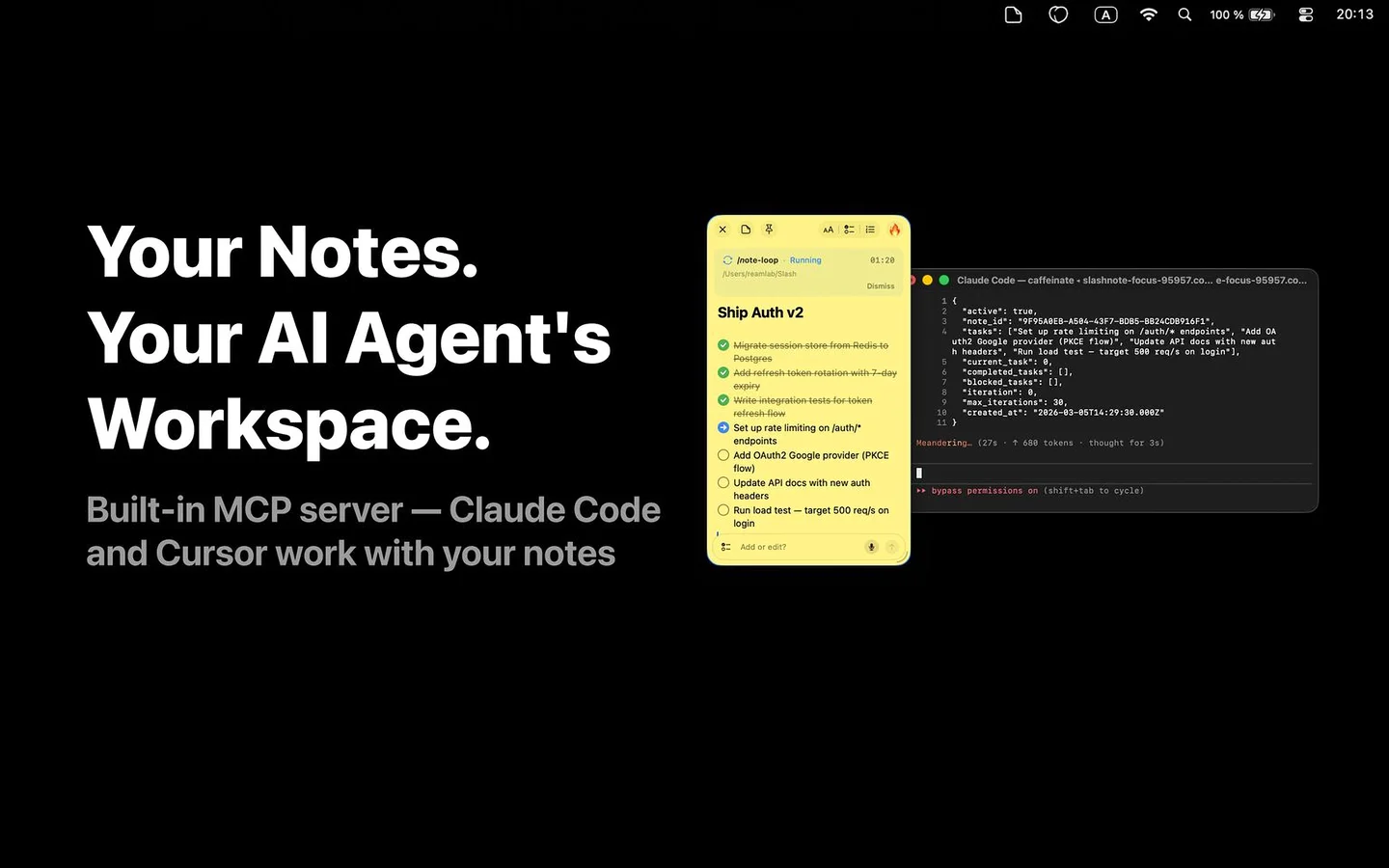
20 tools. 6 prompt templates. One-line setup. Let Claude, Cursor, VS Code, Windsurf, JetBrains, and Zed control your notes.
Built on the open Model Context Protocol standard from Anthropic — your notes integrate with any MCP-compatible AI client, not just one vendor.
Setup
Pick your client. One config — and your AI agent can read, create, and organize your notes.
- Run the auto-install command below (recommended)
- Restart Claude Desktop
curl -fsSL https://slashnote.app/install-mcp.sh | shManual setup
- Download the binary and place it at ~/.slashnote/bin/slashnote-mcp
- Add the config below to claude_desktop_config.json
- Restart Claude Desktop
{
  "mcpServers": {
    "slashnote": {
      "command": "~/.slashnote/bin/slashnote-mcp"
    }
  }
}20 Tools at Your Agent's Fingertips
Full CRUD, search, checkbox management, window control, and task automation — all via MCP.
Notes Management
-
create_note— Create a new note with markdown content -
read_note— Read note content as markdown -
update_note— Edit note (replace, append, or prepend) -
delete_note— Remove a note -
list_notes— List all notes with previews -
duplicate_note— Duplicate an existing note
Search & Stats
-
search_notes— Full-text search across all notes -
get_stats— Dashboard: totals, checkboxes, completion rate -
get_open_notes— Currently visible notes with positions
Checkboxes
-
toggle_checkbox— Toggle checkbox state (unchecked / in-progress / done) -
reorder_checkboxes— Sort completed items to bottom
Window Control
-
show_note— Show note window on screen -
hide_note— Hide note window -
move_note— Position note at x, y coordinates -
resize_note— Change note width and height
Automation
-
configure_note_loop— Set up loop with editable config panel -
start_note_loop— Schedule automated task execution from a checklist note -
cancel_note_loop— Cancel a scheduled automation loop -
list_note_loops— List all active scheduled loops -
complete_note_loop— Mark a loop as completed with summary
SlashNote MCP vs Notion API vs Apple Notes vs Obsidian
Four very different ways to give an AI agent access to your notes — and how SlashNote compares on the parts that matter.
| Aspect | SlashNote MCP | Notion API | Apple Notes (Shortcuts) | Obsidian Plugins |
|---|---|---|---|---|
| Integration Standard | Open MCP (Anthropic) | Private REST API | macOS Shortcuts / AppleScript | Community plugin SDK |
| Supported AI Clients | Claude · Cursor · VS Code · Windsurf · JetBrains · Zed | Any HTTP-capable client | Shortcuts on iOS / macOS only | Obsidian Copilot, Smart Connections |
| Data Location | Local (your Mac) | Cloud (Notion servers) | Local + iCloud sync | Local (markdown files) |
| Setup | One-line install | OAuth + API key + integration page | Built-in to macOS | Manual plugin install + config |
| Operations | 20 tools + 6 prompt templates | Pages, blocks, databases CRUD | Get / Create / Append actions | Plugin-dependent |
| Best For | Multi-IDE AI workflow | Cloud-first teams | iPhone capture flows | Markdown power-users |
MCP is an open standard — see the Model Context Protocol spec for how it differs from proprietary integrations.
6 Built-in Prompt Templates
Pre-configured prompts for common workflows. Available in Claude Desktop and any MCP client that supports prompts.
Meeting Notes
Structured meeting notes with attendees and action items
Todo List
Prioritized task list for a project
Checklist
Step-by-step checklist for any topic
Summarize Notes
Read all notes and create a consolidated summary
Organize Tasks
Gather all checkboxes into one organized note
Weekly Review
Weekly review with completed items and goals ahead
Ready to Connect Your AI?
Download SlashNote and set up MCP in under a minute.
Download on the App Store