Notes That Live Where You Code
MCP server for Claude, Cursor, VS Code, Windsurf, JetBrains & Zed. Markdown support. Quick capture from any app. 100% local voice input. Built for developers who move fast.
Built on the open Model Context Protocol. Source for the install script: slashnote.app/install-mcp.sh.
Download FreeFree tier includes unlimited notes. Pro unlocks MCP server.
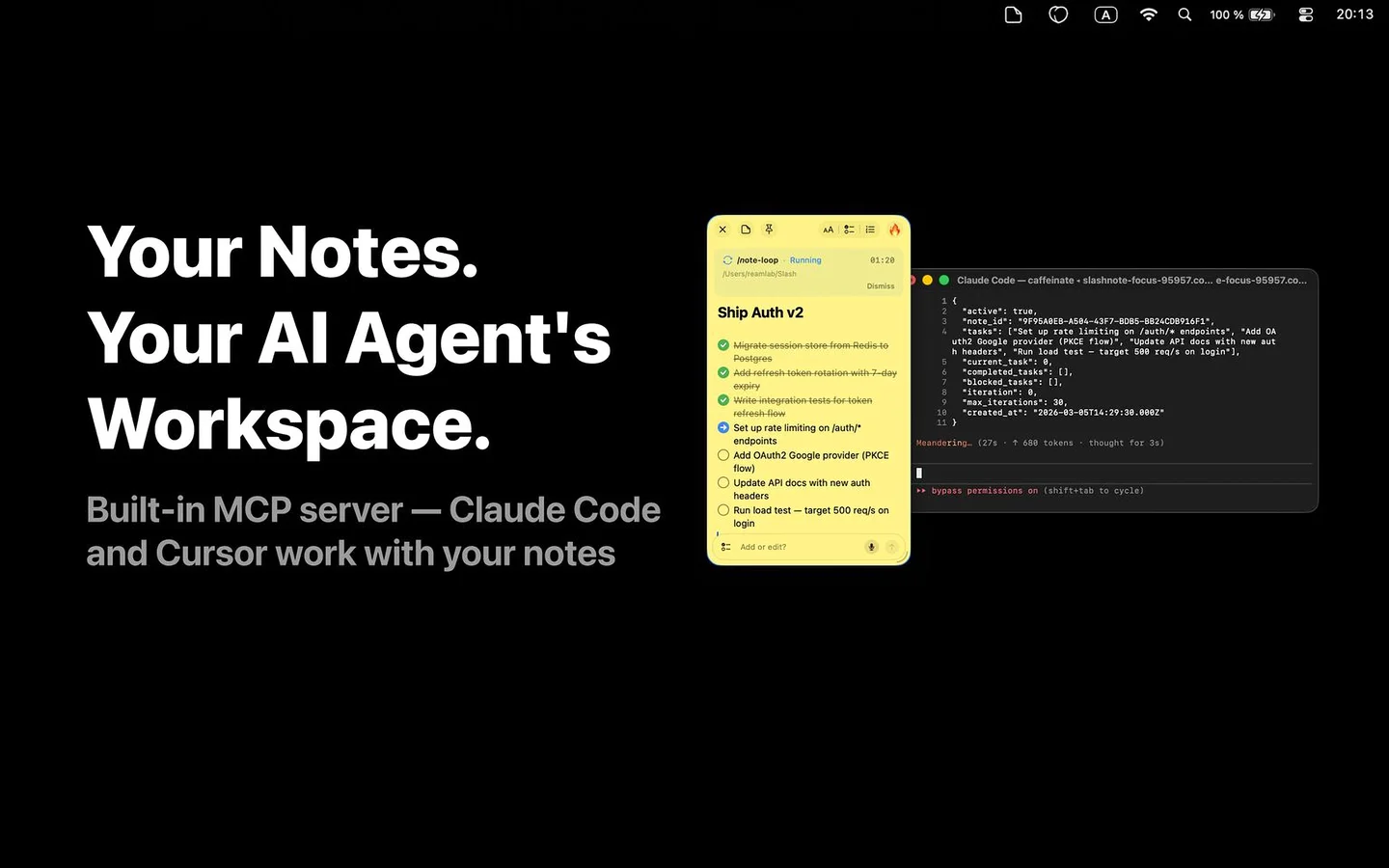
MCP Server: Your Notes Inside Your AI
20 tools let AI agents read, create, search, organize, and automate your notes. One-line setup for every major IDE.
Cursor
// ~/.cursor/mcp.json
{
  "mcpServers": {
    "slashnote": {
      "type": "http",
      "url": "http://localhost:51423/mcp"
    }
  }
}
VS Code
// User Settings JSON (⌘⇧P → "Open User Settings JSON")
"mcp": {
  "servers": {
    "slashnote": {
      "type": "http",
      "url": "http://localhost:51423/mcp"
    }
  }
}
Claude Code
# One command. That's it.
claude plugin marketplace add slashnote-app/claude-code-plugin && claude plugin install slashnote@slashnote-app-claude-code-plugin20 MCP Tools
Notes CRUD
create_note— Create with markdown content and colorread_note— Read note content as markdownupdate_note— Edit (replace, append, or prepend)delete_note— Remove a notelist_notes— List all notes with previewsduplicate_note— Duplicate an existing note
Search & Checkboxes
search_notes— Full-text search across all notesget_stats— Dashboard: totals, checkboxes, completion rateget_open_notes— Currently visible notes with positionstoggle_checkbox— Toggle state (unchecked/in-progress/done)reorder_checkboxes— Sort completed items to bottom
Window Control
show_note— Show note window on screenhide_note— Hide note windowmove_note— Position note at x, y coordinatesresize_note— Change note width and height
Automation
configure_note_loop— Set up loop with editable config panelstart_note_loop— Schedule automated task executioncancel_note_loop— Cancel a scheduled looplist_note_loops— List active scheduled loopscomplete_note_loop— Mark loop as completed
11 Slash Commands. 4 Smart Hooks.
Turn Claude Code into a developer companion. Capture tasks, bugs, decisions, and run automated task loops — all from your terminal.
Install in one command
claude plugin marketplace add slashnote-app/claude-code-plugin && claude plugin install slashnote@slashnote-app-claude-code-pluginIncludes MCP server, 11 slash commands, and 4 smart hooks.
Use in Claude Code
# Create a task list
/note-todo Fix auth, write tests, deploy to staging

# Log a bug with git context
/note-bug Login crashes on Safari when cookies disabled

# Start automated task loop
/note-loop Refactor auth, add tests, update docs
/note Quick capture with auto-detected type
/note-todo Task checklist from natural language
/note-bug Bug report with git context
/note-meeting Decisions and action items
/note-snippet Code snippet with language detection
/note-decide ADR-lite decision log
/note-loop Automated task execution
/note-find Search notes by content or type
/note-standup Daily standup from git + notes
/note-wrapup Session summary with next steps
/note-context Save context for next session
4 Smart Hooks — run automatically behind the scenes
Auto-loads project context when you start a session.
Blocks exit while tasks remain in the task loop.
Auto-checks completed items in SlashNote.
Saves a context snapshot before memory is compressed.
/note-loop
Run Now or Schedule for Later
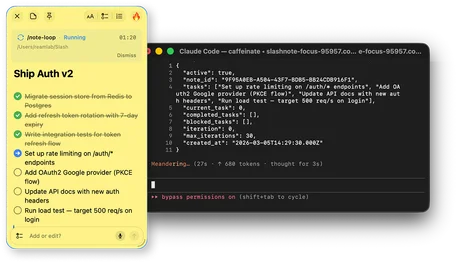
Type /note-loop and Claude works through your checklist automatically. Each task gets executed, checked off in SlashNote, and the next one starts — hands-free.
- Auto-executes tasks one by one with progress tracking
- 3 attempts per task before marking as blocked
- Schedule for later in a new Terminal session
- Pause, skip, or stop at any time — real-time progress on the note
Context-Aware AI Coding
Your notes become context for your AI assistant. No more re-explaining project decisions.
> "Read my notes about the checkout service
>  and help me design the event schema
>  for push notifications."

Claude reads your notes → understands context →
gives informed recommendations
Architecture Decision Records
Document decisions during AI sessions. Next time, your AI already knows the context.
Code Documentation
Tell Cursor: "Create a note documenting the endpoint I just built." AI reads your code and writes the docs.
Session Handoff
End a session: "Summarize what we did and what's next." Start tomorrow: "Read yesterday's note. Let's continue."
Sprint Notes
Color-code by project. Search by sprint tag. Let AI do the weekly review.
Capture Without Leaving Your IDE
6 creation methods. None require switching apps.
Drag from Menu Bar
Click-drag the menu bar icon. A note appears under your cursor in ~1 second.
Click the Icon
Click the menu bar icon, select 'New Note'. Classic and reliable.
Global Keyboard Shortcut
Customizable hotkey to create a note instantly from any app. No mouse needed.
Voice Note (Pro)
Push-to-talk: speak, release. Transcribed 100% locally. No internet needed.
AI Voice Note (Pro)
Push-to-talk: speak naturally. AI creates a structured note with checkboxes and headings.
Shake Gesture (Pro)
While dragging files or text, shake the mouse. Content drops into a new note.
Your Code Notes Stay on Your Machine
API keys, architecture notes, security findings — they never leave your Mac.
Local Storage
All notes stored on your Mac. No cloud sync, no servers, no accounts.
Local Voice
Speech processed on Apple Neural Engine. No audio sent anywhere.
Cloud AI, Your Choice
/note Cloud by default. Bring your own key: Replicate or Anthropic. You pick the provider.
6 Prompt Templates for Developers
Meeting Notes
Structured meeting notes with attendees, agenda, decisions, and action items.
Todo List
Prioritized task list for a project with checkboxes and categories.
Checklist
Step-by-step checklist for any topic — onboarding, deployment, review.
Summarize Notes
Read all notes and create a consolidated summary with key themes.
Organize Tasks
Gather all checkboxes across notes into one organized task list.
Weekly Review
Weekly review with completed items, progress, and goals ahead.
Simple, Developer-Friendly Pricing
Free tier: unlimited notes, a few AI requests/day, global hotkey, drag and click creation. No credit card. Pro ($9.99/mo or $29.99/yr): MCP server with all 20 tools, voice input, shake gesture, 10x AI requests. Lifetime ($29.99): all Pro features plus BYOM providers and /note-loop automation.
Start Building with MCP Notes
One command to connect. 20 tools to use. Zero friction.
Download on the App Store